Use the below link to get a hefty discount on my course ArcPy for Data Management and Geoprocessing with ArcGIS Pro at Final Draft Mapping
https://learn.finaldraftmapping.com/cart/?add-to-cart=31491&quantity=1&fdm_apply=GBBLOG90

Use the below link to get a hefty discount on my course ArcPy for Data Management and Geoprocessing with ArcGIS Pro at Final Draft Mapping
https://learn.finaldraftmapping.com/cart/?add-to-cart=31491&quantity=1&fdm_apply=GBBLOG90
Here’s a little function for exporting an attribute table from ArcGIS to a CSV file. The function takes two arguments, these are a file-path to the input feature class or table and a file-path for the output CSV file (see example down further).
First import the necessary modules.
import arcpy, csv
Inside the function we use ArcPy to get a list of the field names.
def tableToCSV(input_tbl, csv_filepath):
    fld_list = arcpy.ListFields(input_tbl)
    fld_names = [fld.name for fld in fld_list]
We then open a CSV file to write the data to.
    with open(csv_filepath, 'wb') as csv_file:
        writer = csv.writer(csv_file)
The first row of the output CSV file contains the header which is the list of field names.
writer.writerow(fld_names)
We then use the ArcPy SearchCursor to access the attributes in the table for each row and write each row to the output CSV file.
        with arcpy.da.SearchCursor(input_tbl, fld_names) as cursor:
            for row in cursor:
                writer.writerow(row)
And close the CSV file.
csv_file.close()
Full script example…
import arcpy, csv

def tableToCSV(input_tbl, csv_filepath):
    fld_list = arcpy.ListFields(input_tbl)
    fld_names = [fld.name for fld in fld_list]
    with open(csv_filepath, 'wb') as csv_file:
        writer = csv.writer(csv_file)
        writer.writerow(fld_names)
        with arcpy.da.SearchCursor(input_tbl, fld_names) as cursor:
            for row in cursor:
                writer.writerow(row)
        print csv_filepath + " CREATED"
    csv_file.close()

fc = r"C:\Users\******\Documents\ArcGIS\Default.gdb\my_fc"
out_csv = r"C:\Users\******\Documents\output_file.csv"

tableToCSV(fc, out_csv)
Feel free to ask questions, comment, or help build upon this example.
Interested in learning ArcPy? check out this course.
I have been using arcpy intermittently over the past year and a half mainly for automating and chaining batch processing to save myself countless hours of repetition. This week, however, I had to implement a facet of arcpy that I had not yet had the opportunity to utilise – the data access module.

The Scenario
A file geodatabase with 75 feature classes each containing hundreds to thousands of features. These feature classes were the product of a CAD (Bentley Microstation) to GIS conversions via FME with data coming from 50+ CAD files. As a result of the conversion each feature class could contain features with various attributes from one or multiple CAD files but each feature class consisted of the same schema which was helpful.

The main issue was that the version number for a chunk of the CAD files had not been corrected. Two things needed to be fixed: i) the ‘REV_NUM’ attribute for all feature classes needed to be ‘Ver2’, there would be a mix of ‘Ver1’ and ‘Ver2’, and ii) in the ‘MODEL_SUMMARY’ if ‘Ver1’ was found anywhere in the text it needed to be replaced with ‘Ver2’. There was one other issue and this stemmed from creating new features and not attributing them, this would have left a ‘NULL’ value in the ‘MODEL’ field (and the other fields). All features had to have standardised attributes. The script would not fix these but merely highlight the feature classes.
OK so a quick recap…
1. Set the ‘REV_NUM’ for every feature to ‘Ver2’
2. Find and replace ‘Ver1’ with ‘Ver2’ in the text string of ‘MODEL_SUMMARY’ for all features.
3. Find all feature classes that have ‘NULL’ in the ‘MODEL’ field.
The Script
Let’s take a look at the thirteen lines of code required to complete the mission.
import arcpy

arcpy.env.workspace = r"C:\Users\*****\Documents\CleanedUp\Feature_Classes.gdb"
fc_list = arcpy.ListFeatureClasses()
fields = ["MODEL", "MODEL_SUMMARY", "REV_NUM"]

for fc in fc_list:
 with arcpy.da.UpdateCursor(fc, fields) as cursor:
  for row in cursor:
   if row[0] == None or row[0] == "":
    print fc + ": Null value found for MODEL"
    break
   if row[1] != None:
    row[1] = row[1].replace("Ver1", "Ver2")
   row[2] = "Ver2"
   cursor.updateRow(row)
The Breakdown
Import the arcpy library (you need ArcGIS installed and a valid license to use)
import arcpy
Set the workspace path to the relevant file geodatabase
arcpy.env.workspace = r"C:\Users\*****\Documents\CleanedUp\Feature_Classes.gdb"
Create a list of all the feature classes within the file geodatabase.
fc_list = arcpy.ListFeatureClasses()
We know the names of the fields we wish to access so we add these to a list.
fields = ["MODEL", "MODEL_SUMMARY", "REV_NUM"]
For each feature class in the geodatabase we want to access the attributes of each feature for the relevant fields.
for fc in fc_list:
 with arcpy.da.UpdateCursor(fc, fields) as cursor:
  for row in cursor:
If the ‘MODEL’ attribute has a None (NULL) or empty string value then print the feature class name to the screen. Once one is found we can break out and move onto the next feature class.
   if row[0] == None or row[0] == "":
    print fc + ": Null value found for MODEL"
    break
We know have a list of feature classes that we can fix the attributes manually.
Next we find any instance of ‘Ver1’ in ‘MODEL_SUMMARY’ text strings and replace it with ‘Ver2’….
   if row[1] != None:
    row[1] = row[1].replace("Ver1", "Ver2")
…and update all ‘REV_NUM’ attributes to ‘Ver2’ regardless of what is already attributed. This is like using the Field Calculator to update.
row[2] = "Ver2"
Perform and commit the above updates for each feature.
cursor.updateRow(row)
Very handy to update the data you need and this script can certainly be extended to handle more complex operations using the arcpy.da.UpdateCursor module.
Check out the documentation for arcpy.da.UpdateCursor
Title: Learning ArcGIS Geodatabases
Author: Hussein Nasser
Publisher: Packt Publishing
Year: 2014
Aimed at: ArcGIS – beginner to advanced
Purchased from: www.packtpub.com
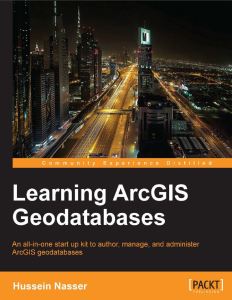
After using MapInfo for four years my familiarity with ArcGIS severely declined. The last time I utilised ArcGIS in employment shapefiles were predominantly used but I knew geodatabases were the way forward. If they were going to play a big part in future employment it made sense to get more intimate with them and learn their inner secrets. This compact eBook seemed like a good place to start…
The first chapter is short and sweet and delivered at a beginner’s level with nice point to point walkthroughs and screenshots to make sure you are following correctly. You are briefed on how to design, author, and edit a geodatabase. The design process involves designing the schema and specifying the field names, data types, and the geometry types for the feature class you wish to create. This logical design is then implemented as a physical schema within the file geodatabase. Finally, we add data to the geodatabase through the use of editing tools in ArcGIS and assign attribute data for each feature created. Very simple stuff so far that provides a foundation for getting set-up for the rest of the book.
The second chapter is a lot bulkier and builds upon the first. The initial task in Chapter 2 is to add new attributes to the feature classes followed by altering field properties to suit requirements. You are introduced to domains, designed to help you reduce errors while creating features and preserve data integrity, and subtypes. We are shown how to create a relationship class so we can link one feature in a spatial dataset to multiple records in a non-spatial table stored in the geodatabase as an object table. The next venture in this chapter takes a quick look at converting labels to an annotation class before ending with importing other datasets such as shapefiles, CAD files, and coverage classes and integrating them into the geodatabase as a single point of spatial reference for a project.
Chapter 3 looks at improving the rough and ready design of the geodatabase through entity-relationship modelling, which is a logical diagram of the geodatabase that shows relationships in the data. It is used to reduce the cost of future maintenance. Most of the steps from the first two chapters are revisited as we are taken through creating a geodatabase based on the new entity relationship model. The new model reduces the number of feature classes and improves efficiency through domains, subtypes and relationship classes. Besides a new train of thought on modelling a geodatabase for simplicity the only new technical feature presented in the chapter is enabling attachments in the feature class. It is important to test the design of the geodatabases through ArcGIS, testing includes adding a feature, making use of the domains and subtypes, and test the attachment capabilities to make sure that your set-up works as it should.
Chapter 4 begins with the premise of optimizing geodatabases through tuning tools. Three key optimizing features are discussed; indexing, compressing, and compacting. The simplicity of the first three chapters dwindles and we enter a more intermediate realm. For indexing, how to enable attribute indexing and spatial indexing in ArcGIS is discussed along with using indexes effectively. Many of you may have heard about database indexing before, but the concept of compression and compacting in a database may be foreign. These concepts are explored and their effective implementation explained.
The first part of the fifth chapter steps away from the GUI of ArcGIS for Desktop and ArcCatalog and switches to Python programming for geodatabase tasks. Although laden with simplicity, if you have absolutely no experience with programming or knowledge of the general concepts well then this chapter may be beyond your comprehension, but I would suggest performing the walkthroughs as it might give you an appetite for future programming endeavours. We are shown how to programmatically create a file geodatabase, add fields, delete fields, and make a copy of a feature class to another feature class. All this is achieved through Python using the arcpy module. Although aimed at highlighting the integration of programming with geodatabase creation and maintenance the author also highlights how programming and automation improves efficiency.
The second part of the chapter provides an alternative to using programming for geoprocessing automation in the form of the Model Builder. The walkthrough shows us how to use the Model Builder to build a simple model to create a file geodatabase and add a feature class to it.
The final chapter steps up a level from file geodatabases to enterprise geodatabases.
“An enterprise geodatabase is a geodatabase that is built and configured on top of a powerful relational database management system. These geodatabases are designed for multiple users operating simultaneously over a network.”
The author walks us through installing Microsoft SQL Server Express and lists some of the benefits of employing an enterprise geodatabase system. Once the installation is complete the next step is to connect to the database from a local and remote machine. Once connections are established and tested an enterprise geodatabase can be created to and its functionality utilised. You can also migrate a file geodatabase to and enterprise geodatabase. The last part of Chapter 6 shows how privileges can be used to grant users access to data that you have created or deny them access. Security is an integral part of database management.
Overall Verdict: for such a compact eBook (158 pages) it packs a decent amount of information that provides good value for money, and it also introduces other learning ventures that come part and parcel with databases in general and therefore geodatabases. Many of the sections could be expanded based on their material but the pagination would then increase into many hundreds (and more) and beyond the scope of this book. The author, Hussein Nasser, does a great job with limiting the focus to the workings of geodatabases and not veering off on any unnecessary tangents. I would recommend using complimentary material to bolster your knowledge with regards to many of the aspects such as entity-relationship diagrams, indexing (both spatial and non-spatial), Python programming, the Model Builder, enterprise geodatabases and anything else you found interesting that was only briefly touched on. Overall the text is a foundation for easing your way into geodatabase life, especially if shapefiles are still the centre of you GIS data universe.
Title: Python Scripting for ArcGIS
Author: Paul A. Zanbergen
Publisher: ESRI Press
Year: 2013
Aimed at: Python/ArcPy – beginners, ArcGIS – knowledgeable
Purchased from: www.bookdepository.com

This book is a fantastic stepping stone for beginners into the enchanted world of ArcPy. ArcPy is a Python site package that provides access to the extensive set of geoprocessing tools available in ArcGIS. Besides enabling programmatic geospatial analysis ArcPy modules also facilitate data management, data conversion and map document management.
I think a quote from the Preface pages of this book aptly sums up what the book is all about.
“a little bit of code goes a long way.”
As an introductory text your eyes will be opened to how small snippets of code can run geoprocessing tools that can form the basis for extensive geospatial analysis. You won’t find in-depth spatial analysis or data management techniques but you will find an easy to read, easy to follow informative text book that provides the theory behind using Python/ArcPy and will act as a reference to the capabilities of ArcPy.
Before purchasing this book I read a number of reviews. While an overwhelming majority applauded the book there where a few who complained about the basic introduction to Python provided. Even though there is a chapter dedicated to creating Python functions and classes one review that sticks out in my mind wanted in-depth object orientated programming for GIS Python which to me is miles beyond the scope of this book. The author does a great job of providing a primer to the Python language but this is not what this book is about. There are a myriad of Python text books for beginners and also online tutorials out there and I would certainly recommend making use of these and getting comfortable with the general syntax, data structures and data types before diving head first into using Python for geospatial activities.
I bought this book because I wanted a foundation for ArcPy that I could build upon. While progressing through the text I was constantly looking to the ArcGIS Resources pages for more information about geoprocessing tools encountered and the syntax required to implement them programmatically. I would recommend using this book in tandem with the Resource pages for the ultimate beginner experience. The book is extremely informative for a beginner’s text but it will be your genuine interest in the material that will take you well beyond what’s on offer here.
The book and topics are well designed with each chapter building upon the previous. The first part introduces the Python language, development environments (PythonWIn and the Interactive Python WIndow in ArcMap), and the basics of geoprocessing. Part two is where you begin your ArcPy experience, writing scripts and learning about ArcPy modules and their capabilities. Part three introduces some specialized tasks such as automating ArcMap workflows through map scripting and error handling is also discussed. Part four provides an introduction to creating your own custom tool.
Some of the more interesting materials I found covered in this book were; working with the mapping module for automating map document tasks, accessing and manipulating data with cursors and the data access module, working with geometries and rasters, and creating custom tools. These will provide the springboard for you to dive into more advanced scripting.
Overall Verdict: The book was a great investment (c. €60). It would be hard to find a better way to introduce yourself to ArcPy. It won’t teach you everything you need to know to build applicable scripts but provides an invaluable foundation. Highly recommended for beginners.
 Geospatiality